How can you Create a Playlist for ‘Made for kids’ Videos on YouTube? Let us make it easy for you!
Question – Why Google is restricting “Made for kids” videos from saving and making a playlist? When a video is “made for kids”, YouTube has restricted saving that video even for adults. It also doesn’t allow you to play “made for kids” videos in the mini-player or even like or dislike that video on YouTube. […]
 Aug 19, 20202 min read
Question – Why Google is restricting “Made for kids” videos from saving and making a playlist?
When a video is “made for kids”, YouTube has restricted saving that video even for adults. It also doesn’t allow you to play “made for kids” videos in the mini-player or even like or dislike that video on YouTube.
YouTube came up with this change because of the Children’s Online Privacy Protection Act (COPPA). Under this act, if YouTube considers a video or channel “made for kids”, it will restrict many features for that video or channel. You won’t be able to use a variety of features if you are an adult.
These changes are imposed to protect children under 13 years. Google also has removed features like comments and donations from the “made for kids” videos.
Problem
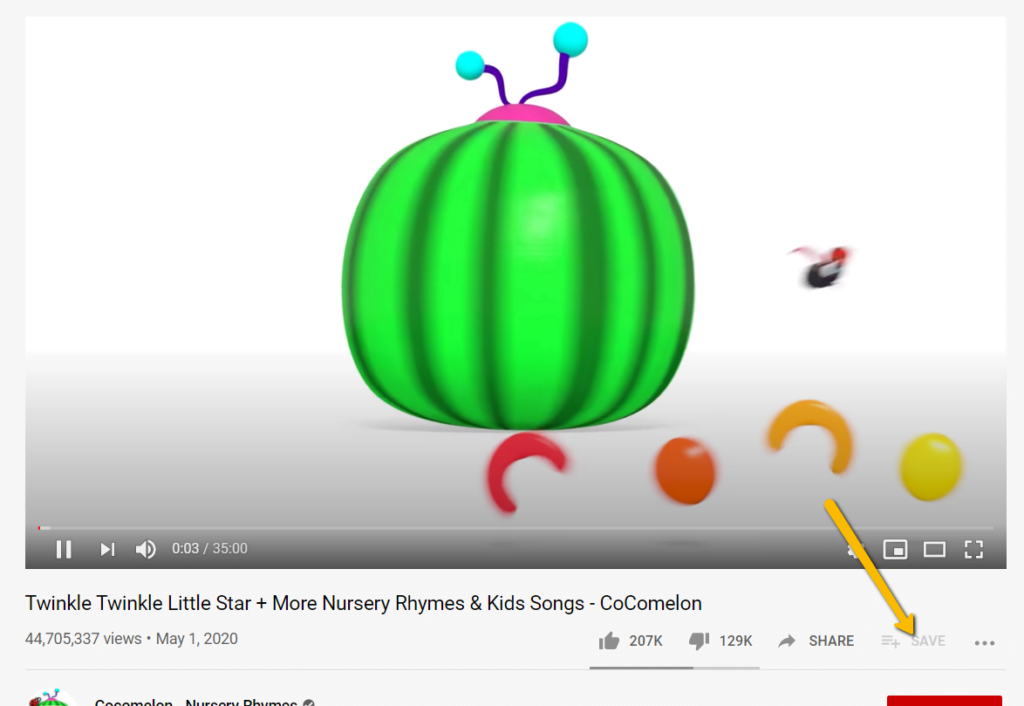
You can’t save “Made for Kids” in the Playlist on YouTube. Look at the screenshot given below to understand the problem
When there is a problem, there is a solution as well. Let’s see how you can resolve this issue.
Solutions
You can overcome this problem with just two simple steps. Let’s see what they are
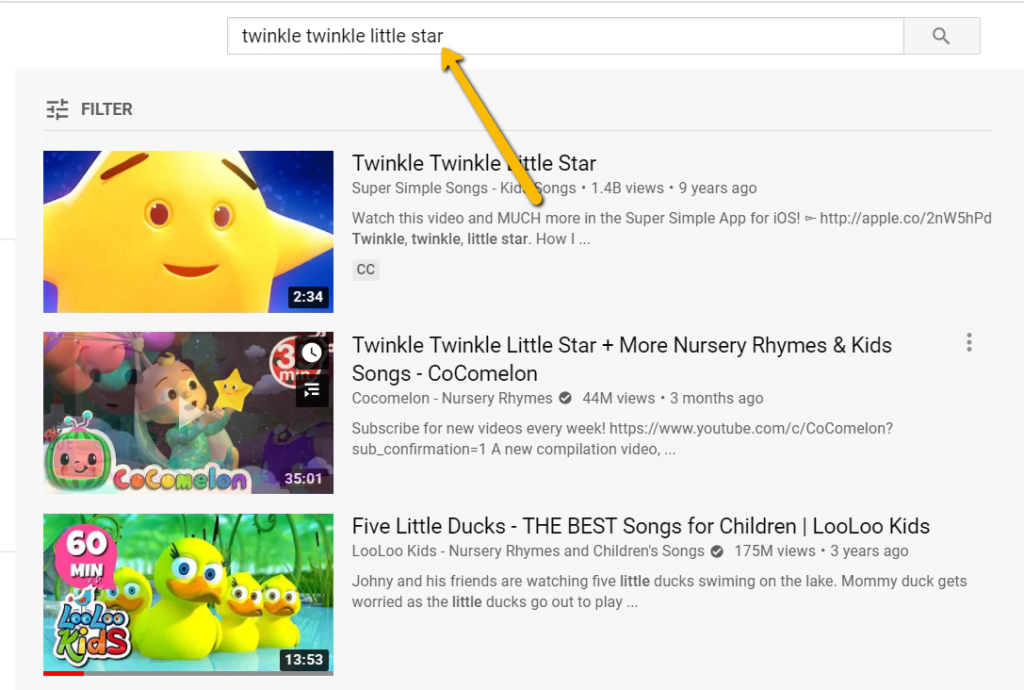
- Go and search for the video song on YouTube
- Then save it in the Playlist
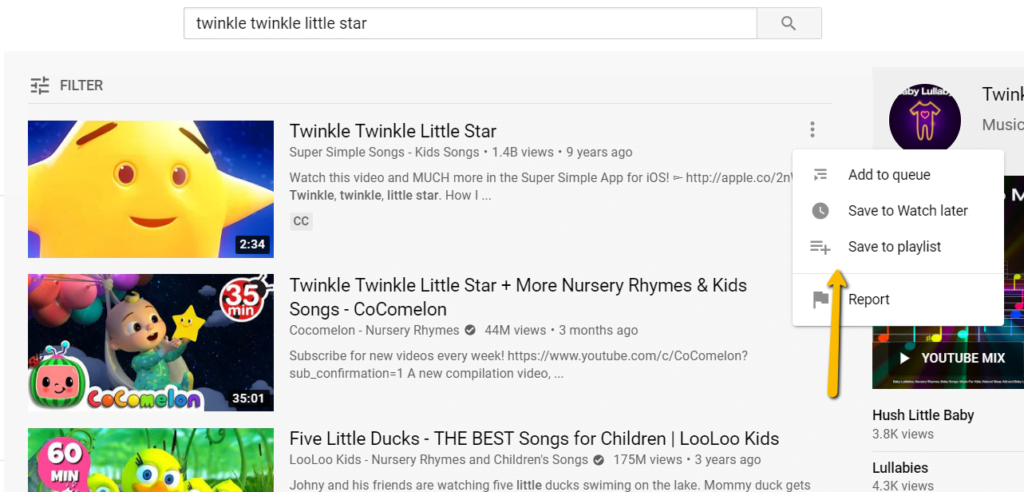
You can save that song in the playlist by clicking on the three dots given on the right-hand side of the video. There will be an option “save to playlist”, click on that option and save the video.
See the screenshot given below to know how you can do it
Today, it’s resolved! You can now easily save any “Made for kids” videos to a playlist without any error. So, play the videos, save them and enjoy! We hope this blog is helpful to you. (Metizsoft Solutions Private Limited)
Leave a Reply