Shopify App · Store Migration

Store Migration App for Shopify

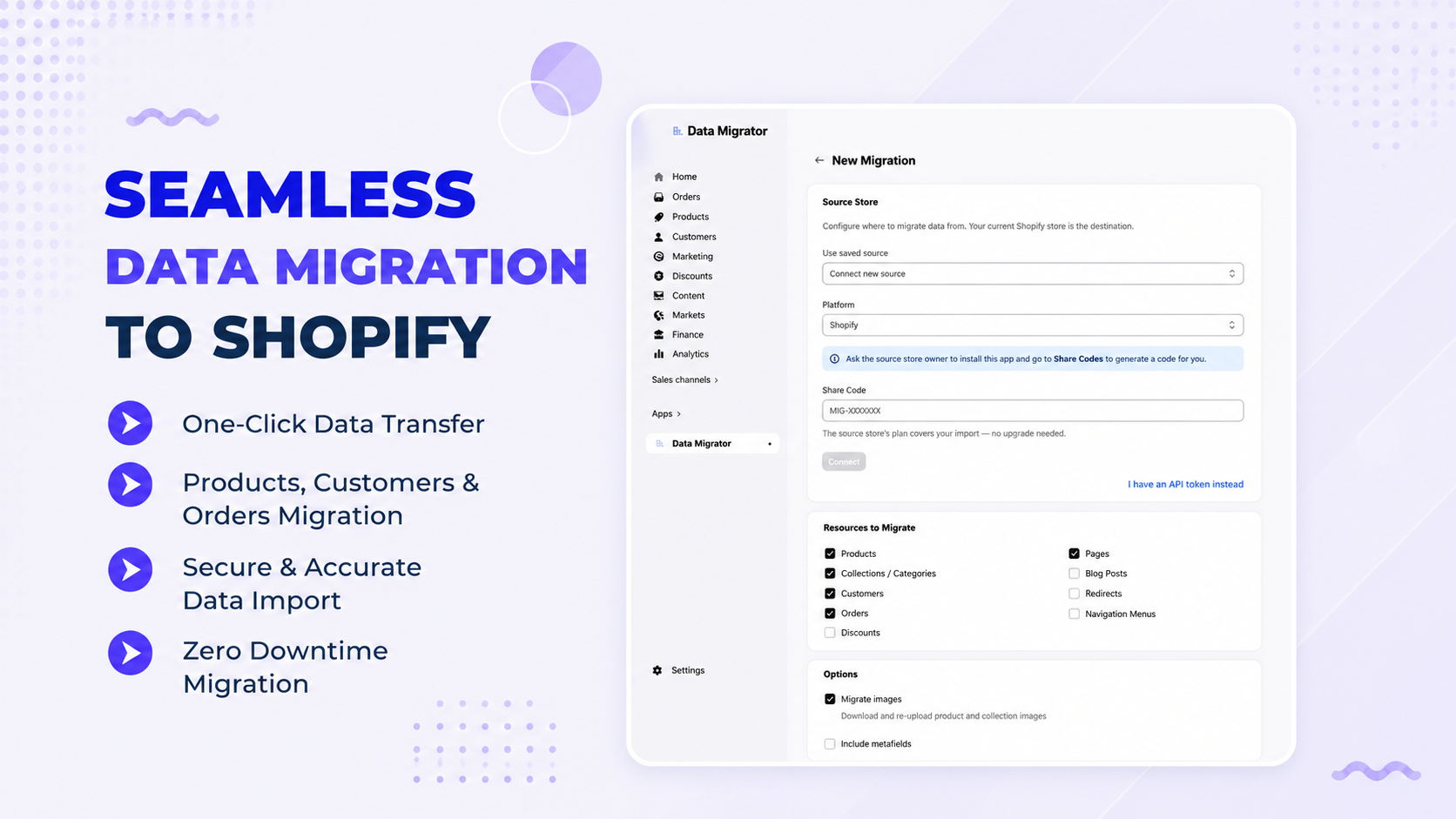
Add a powerful store migration app to your Shopify store. Move your data between stores in a few clicks. Data Migrator links a parent store to a child store. It transfers customers, orders, products, collections, menus, blogs, and pages with no manual work. Need a Shopify data migration? Data Migrator handles simple and complex migration tasks across multiple stores. Built for merchants managing multiple Shopify stores, Data Migrator automates the full data transfer and keeps every store consistent. Migrate thousands of products at once, run repeat migrations, and complete the setup in minutes. Use Data Migrator to migrate Shopify store data quickly and securely.
check_circle✓ Free plan available ✓ 7-day free trial ✓ No coding required
Free
Plan available
Multi-Store
Migration
Automated
Data transfer
2026
Launched
Features

Everything a Store Migration Needs

Move customers, orders and content between stores automatically and error-free. The app handles every step of the migration process, from reading your source store to writing data into the destination store. No data gets left behind during the transfer. Products and customers data is transferred with precision, keeping your store data consistent and complete.

Parent–Child Store Sync

Link a parent store to a child store and keep them in sync

Migrate Customers & Orders

Transfer customers and orders between stores

Products & Collections

Move products and collections without manual duplication

Pages, Blogs & Menus

Transfer pages, blog posts and navigation menus

Data Transfer Automation

Automate the full migration no manual copying

Simple Setup

Set up your migration in minutes no coding required

How it works

Migrate in 3 Simple Steps

From connecting your stores to a finished migration no developer required.

1

Install & Connect Stores

Install the app and link your parent and child store.

2

Select What to Migrate

Choose customers, orders, products, pages and more.

3

Run the Migration

Data Migrator transfers everything automatically.

Coverage

Built for Store Migration

Everything you need to move data between your Shopify stores with confidence. Whether you handle a small catalog or thousands of SKUs, Data Migrator scales to match your store size and migration needs.

MIGRATE
  • check_circleCustomers & orders
  • check_circleProducts & collections
  • check_circlePages & blog posts
  • check_circleMenus & redirects
AUTOMATE
  • check_circleParent–child sync
  • check_circleTransfer automation
  • check_circleRepeat migrations
  • check_circleShare codes
SCALE
  • check_circleUp to unlimited products
  • check_circleUnlimited migrations
  • check_circleBulk transfer
  • check_circlePriority support
PLATFORM
  • check_circleAny Shopify store
  • check_circleSimple setup
  • check_circleNo code needed
  • check_circleContent consistency
Works with

Works with Your Stack

Built for Shopify and easy to manage from Shopify Admin. No third-party tools or external platforms needed. Everything runs within your existing Shopify setup, making it one of the simplest migration apps to get started with.

★★★★★

FAQ

Frequently Asked Questions

Quick answers about store migration, data transfer, plans and setup. Contact our support team through the app for additional help.

Will Data Migrator work with my Shopify store?

expand_more
Yes. Data Migrator is built for Shopify and links your stores with simple setup and no coding required. Whether you're running one store or managing multiple Shopify stores, the app works right from your Shopify admin panel. Installation is simple and takes just a few minutes from the Shopify App Store. The app is compatible with Basic, Shopify, Advanced, and Shopify Plus plans.

How does the store migration work?

expand_more
You connect a parent store to a child store, choose what to migrate, and the app transfers your data automatically between the two stores. The whole shopify migration process takes just a few minutes to set up, and you can track the status of your migration in real time. Once the migration is complete, your new store is ready to use with all data intact. The migration process is reliable and repeatable, making it easy to keep multiple stores in sync.

What data can I migrate?

expand_more
You can migrate customers, orders, products, collections, pages, blog posts, navigation menus, discounts, and redirects. This covers all the essential data your store needs. Data Migrator transfers everything accurately. Your new store is ready to use with all data intact. Our migration services handle all data types for a complete and reliable store transfer.

Do I need coding skills to migrate my store?

expand_more
No. The setup is simple and the data transfer is automated, so you can migrate your store without any code. Just connect your stores, select your data, and Data Migrator handles the rest. It works for all Shopify plans and store sizes. No experience required any store owner can do it.

How many products can I migrate at once?

expand_more
Plans start at 10 products per migration and go up to unlimited on higher tiers. This includes every product category in your store, along with their variants, images, and metadata. The Enterprise plan supports unlimited products with no cap. For large-scale stores, the Enterprise plan is the best fit for a complex migration with high volume and custom data needs.

Can I run more than one migration?

expand_more
Yes. Plans allow from one migration per month up to unlimited migrations, so you can move data as often as you need. This makes it easy to run repeat migrations for ongoing store sync or when you expand your Shopify store network. All previous migrations are saved in the app dashboard for quick access and review.

What are share codes?

expand_more
Share codes let you securely share a migration between stores, available on the Growth and Enterprise plans. Share codes make collaboration easy when multiple team members or agencies are working on the same migration. Each code is unique and expires after use for security. Share codes are safe to use and do not expose any store credentials. This feature is ideal for agencies managing migrations for multiple clients.

Is there a free plan, and what does it cost?

expand_more
Yes. There is a free plan, plus Basic at $20/month, Growth at $50/month, and Enterprise at $200/month, each billed in USD with a 7-day free trial on paid plans. All paid plans include the 7-day free trial, so you can test the full feature set before you commit. You can upgrade or downgrade your plan at any time based on your migration needs.

Who supports the app?

expand_more
Metizsoft develops and supports Data Migrator. Enterprise plan users get priority support. You can reach the support team directly through the app or via email. Response times are fast, and the team can help with any migration setup or complex migration issue. All support is handled in-house by the development team, so you get accurate and reliable answers. Support is available for all plan types, with faster response times for higher-tier plans.

Migrate Your Store Data in Minutes

Link your Shopify stores and transfer customers, orders, products, and content automatically. Install Data Migrator and skip the manual setup. Start with the free plan and upgrade when you need more. There is no long-term commitment required. With no coding required and a simple setup process, any store owner can complete a migration in under an hour.